
Room For Every Course
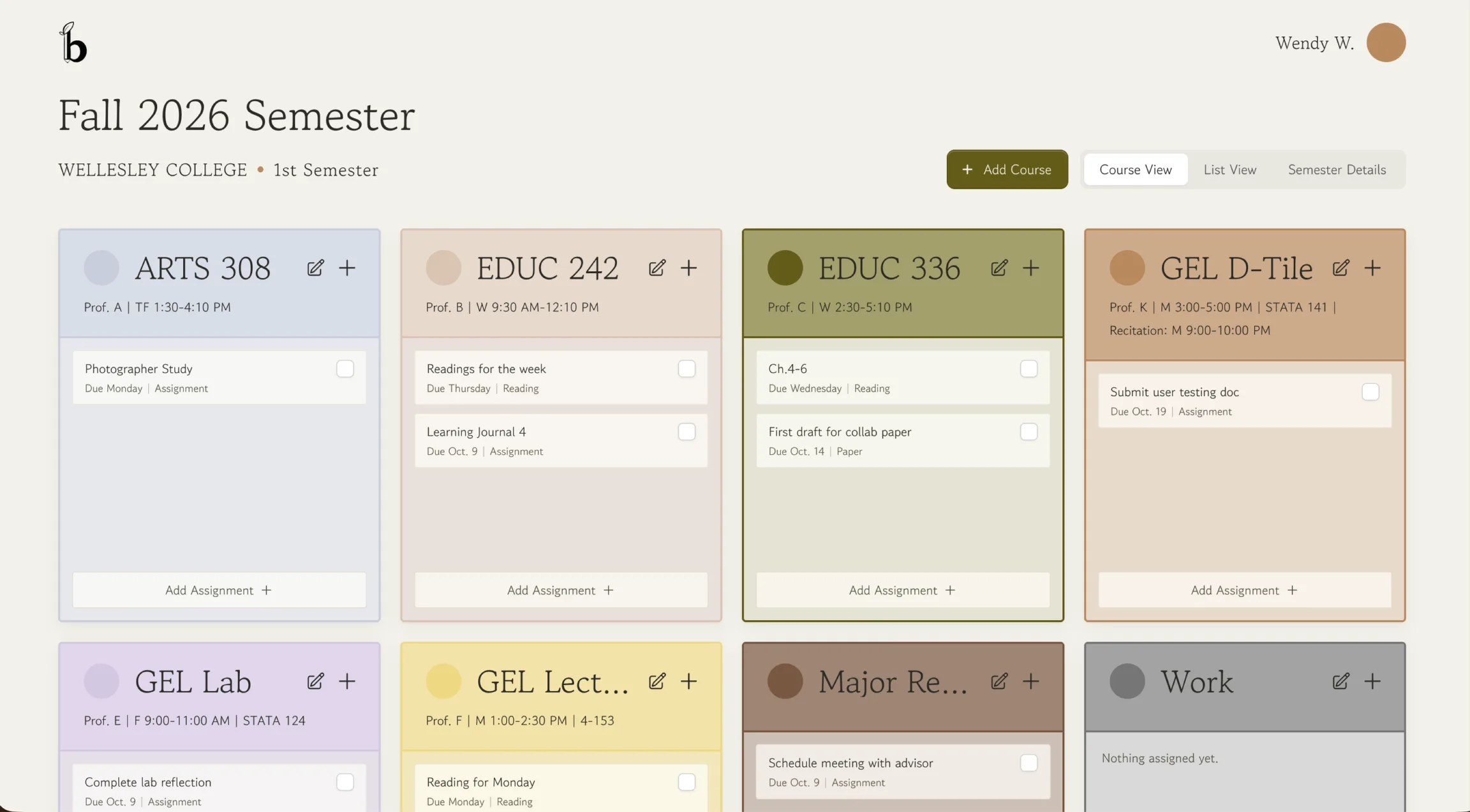
Add every course you're taking, give each one a color, and drag them into whatever order works for you.
Because being a college student is hard enough.
No More Sunday Scaries. No More Late Submissions.
Just Simplified Assignment Tracking On Baezl.
Easily create a semester, add your courses, and nail your deadlines with simplified assignment tracking.
Save your evenings from the complicated template builders. Just open Baezl and start tracking.
Try Baezl in beta, and help us shape what comes next.
Everything you need to make it to finals season (snacks sold separately).
Add every course you're taking, give each one a color, and drag them into whatever order works for you.
Switch between Course View and List View to see your assignments the way that makes sense to you.

Every semester comes with its own plant that grows right alongside you as a gentle reminder of how far you've come.
Baezl is a free assignment tracker for college students. Keep every semester, course, assignment, and due date in one place, and always know what is due next.
A Notion or spreadsheet template is a blank page you have to build, format, and maintain yourself. Baezl is ready the moment you sign up: create a semester, add your courses, and every assignment you add shows up in both Course View and List View, where you can sort the whole semester by due date. No formulas, no formatting, and no template to fix when the semester changes.
Yes. Baezl is free during the beta.
Create a free account with your email or sign in with Google. Then create a semester, add your courses, and start adding assignments with their due dates.
Yes. List View shows every assignment from every course in one table, and you can sort the table by due date to see upcoming assignments first. Course View shows the same assignments grouped by course.
No. We do not sell your personal information. You can delete your account from Settings at any time, which permanently deletes your account and related data.
Every semester comes with a plant that grows alongside you through the term and reaches full size once the semester ends, a gentle reminder of how far you have come.
We Have Work To Do.
Create Your Free Account